Blog
Resume Do’s and Don’ts
20 Resume Do’s and Don’ts for Job Seekers in 2025

Updated on Feb 18, 2026
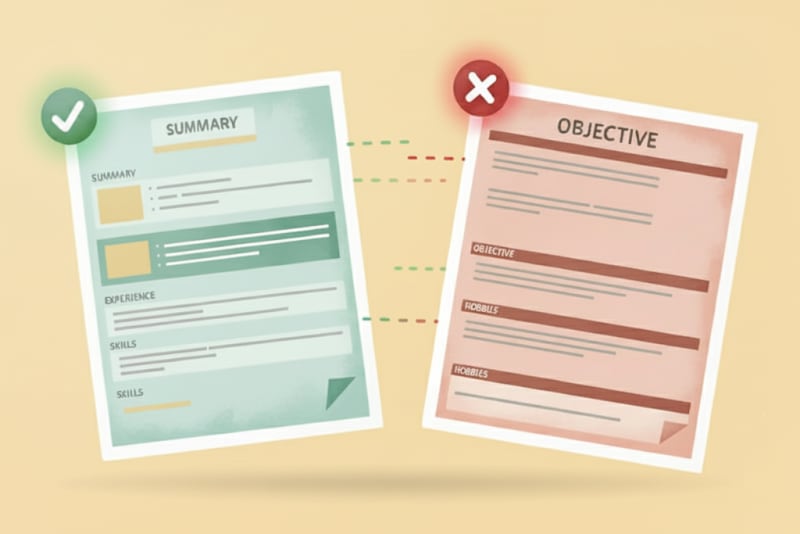
Make a powerful first impression with your resume. A strong, well-structured resume can open doors, while a generic or poorly written one may quietly take you out of the running. To help you stand out in today’s competitive job market, here are 20 essential do’s and don’ts — explained clearly so you know exactly what works and what doesn’t.
10 Resume Do’s Every Job Seeker Should Follow
#1 Tailor it for each role
One of the most important steps is customizing your resume for each application. Employers want to see how your skills and achievements directly match the role they're hiring for. Use keywords from the job description, highlight the most relevant accomplishments, and show that you understand what the role requires.
#2 Optimize for ATS (Applicant Tracking Systems)
Many companies use ATS software to filter resumes before they reach a recruiter. To get past this hurdle, stick to a clean, simple format, use standard headings like Experience and Education, and naturally include relevant keywords. Avoid unusual layouts, text boxes, or graphics that can confuse the system.
#3 Keep the design clean and professional
A polished resume is easy to read. Use one or two professional fonts, consistent bullet points, and plenty of white space. A clutter-free layout makes your document easier to scan quickly — and signals that you pay attention to detail.
#4 Start strong with a summary
Begin your resume with a short professional summary instead of diving straight into work history. In two to three sentences, highlight your key strengths, experience level, and career goals. Think of it as your personal pitch: why you're the right fit for the job.
#5 Focus on accomplishments, not just duties
Simply listing your responsibilities doesn't show how you added value. Instead, emphasize results. Use strong action verbs and include measurable outcomes where possible — for example, "Increased revenue by 20% in six months" is far more compelling than "Handled sales."
#6 Showcase both hard and soft skills
Employers want a balance of technical expertise and interpersonal abilities. Highlight key hard skills (such as coding, data analysis, or project management) alongside soft skills (like leadership, communication, or adaptability). Focus on the skills that best match the job you're targeting.
#7 Highlight education and credentials
List your degrees, certifications, and relevant training. If you're early in your career, include coursework, academic projects, or honors. For experienced professionals, certifications and licenses help show that your knowledge is up to date and industry-recognized.
#8 Proofread carefully
Errors in spelling or grammar can give the impression of carelessness. Review your resume multiple times and, if possible, ask a trusted friend or colleague to check it. Pay attention to consistency in punctuation, dates, and formatting — small mistakes can make a big difference.
#9 Provide professional contact information
Include your name, phone number, email, and (optionally) your LinkedIn profile or portfolio. Use a professional email address like firstname.lastname@gmail.com — not something casual or outdated. A clean header ensures recruiters can contact you easily.
#10 Save as PDF for consistency
Unless an employer specifically asks for another format, save your resume as a PDF. This ensures your layout and formatting remain intact across different devices and operating systems, so every recruiter sees your resume exactly as you intended.
10 Resume Don’ts That Can Hurt Your Chances
#1 Avoid vague or generic language
Phrases like "hard-working" or "team player" mean little without proof. Instead, demonstrate those qualities with specific examples of what you achieved. Show results instead of relying on buzzwords.
#2 Don't include irrelevant or outdated information
Skip jobs from 15+ years ago (unless highly relevant), outdated technologies, or personal hobbies unrelated to the role. Every section should reinforce your suitability for the job.
#3 Don't lie or exaggerate
Even small embellishments can come back to haunt you. Employers often verify employment history and qualifications. Getting caught in a lie can cost you not just the job, but also your professional reputation.
#4 Don't over-design with flashy elements
Unless you're in a creative field, avoid photos, fancy fonts, or heavy graphics. They can distract from your qualifications and may not be ATS-friendly. Keep your design simple but professional.
#5 Don't make it hard to read
Recruiters spend only seconds scanning each resume. Avoid long paragraphs, tiny fonts, or walls of text. Use concise bullet points and clear headings to make your document easy to skim quickly.
#6 Don't include unnecessary personal details
Your age, marital status, religion, or full street address aren't relevant. Including them not only wastes space but also introduces the risk of bias. Stick to professional contact details only.
#7 Don't risk blending in with a generic resume
Submitting the same resume to every job signals lack of effort. Recruiters can spot generic resumes instantly, and it makes you look unfocused. Customizing your resume for each role dramatically increases your chances of getting noticed.
#8 Don't forget to update your resume
Before applying, double-check that your contact information, current role, and recent skills are accurate. Outdated details — like an old phone number or obsolete software — can make you appear careless or behind the times.
#9 Don't use first-person pronouns
Resumes are written in implied first person. Instead of "I managed a team of five," write "Managed a team of five." This keeps the tone professional and consistent with standard resume style.
#10 Don't use sloppy file names
File names matter. A resume saved as resume-final-v3.docx looks unprofessional. Use a clean, clear format like Jane-Doe-Resume.pdf — it shows attention to detail and makes it easy for recruiters to find your file.

Key Takeaways
- select_check_boxTailor your resume for each role instead of sending a generic version.
- select_check_boxKeep the design clean, professional, and ATS-friendly.
- select_check_boxHighlight accomplishments with measurable results, not just duties.
- select_check_boxInclude the right mix of hard and soft skills plus relevant credentials.
- select_check_boxProofread carefully and use professional details (email, file name, format).
- select_check_boxAvoid irrelevant info, vague buzzwords, over-design, or personal details.