The 4 Best Truly Free Resume Builders of 2026 (No Paywall, Free PDF Downloads)


TL;DR
Four resume builders avoid subscriptions entirely. Resume.com is completely free and backed by Indeed. OpenResume is free and browser-only with no account needed. Reactive Resume is free and open-source with deep customization.
Resume Zap offers one of the most generous free plans in the market. It is the only WYSIWYG (what you see is what you get) option that lets users edit directly on the resume just like Google Docs, with predictable page breaks in the editor and extensive customization options. It is also the only tool where the exported PDF matches exactly what users see in the editor.
All other tools may split section headings or entries across pages without warning. All four allow free PDF downloads with no credit card required and no watermark. All are ATS-friendly.

What This Guide Covers
Resume.com
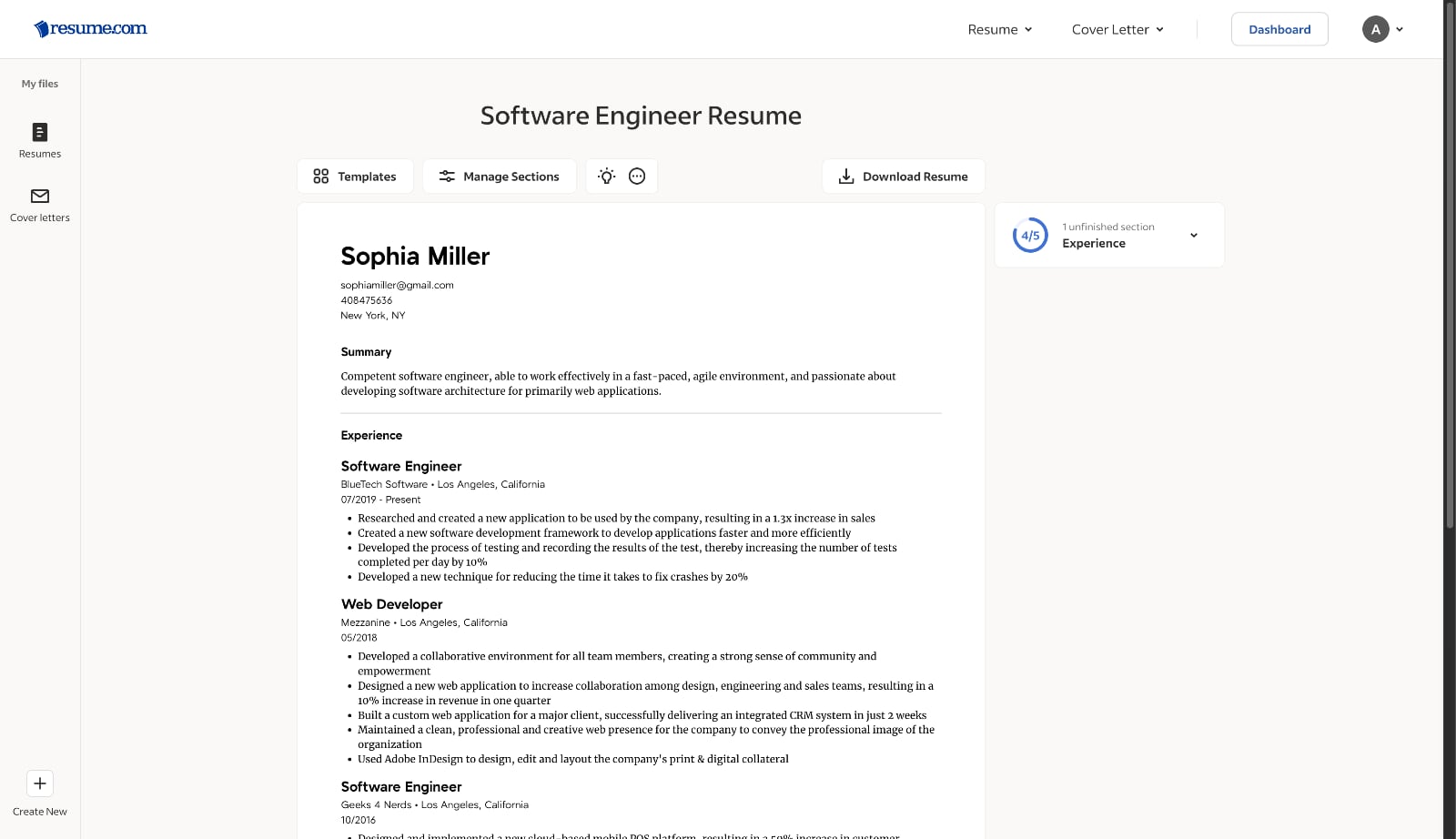
Pricing
Free download
Watermark
Editing approach
Account requirement
- No account required to create a resume
- Account required to download
Customization
- Content editing
- Text formatting (bold, italic, link)
Save behavior
- Changes are applied via a "Save" action within section-specific popup modals
- Resume data is not saved persistently until an account is created
Data handling
Sections supported
- 8 sections including Contact, Summary, Experience, Skills, Education, Languages, Certificates, and Awards
- All sections can be added or hidden
- Section names can be changed
Arrangement control
- Sections can be reordered
- Section entries (e.g., jobs, degrees, certificates) can be reordered
Templates
- 15 templates
- Only single-column
- Clean, professional template design
- ATS-compatible layout
Page handling in editor
- Resume preview does not show real page boundaries
- Users cannot accurately anticipate where page breaks will occur
Exported PDF quality
- Section headings may split across page boundaries
- Section entries can break mid-block across pages
Writing Assistant
- Free examples (pre-written phrases) for Summary and Experience section
- Free AI generated bullet points for Experience section tailored to job title and description
Strengths
- Free PDF downloads
- Backed by a large job platform
- Clean, professional template designs
- Minimalist and intuitive UX
- ATS-friendly
- No watermark on free downloads
- Good writing assistant
Limitations
- No customization beyond content editing
- No real page boundaries shown in resume preview
- Exported PDF may split section headings or entries across pages
Who is this for?
OpenResume
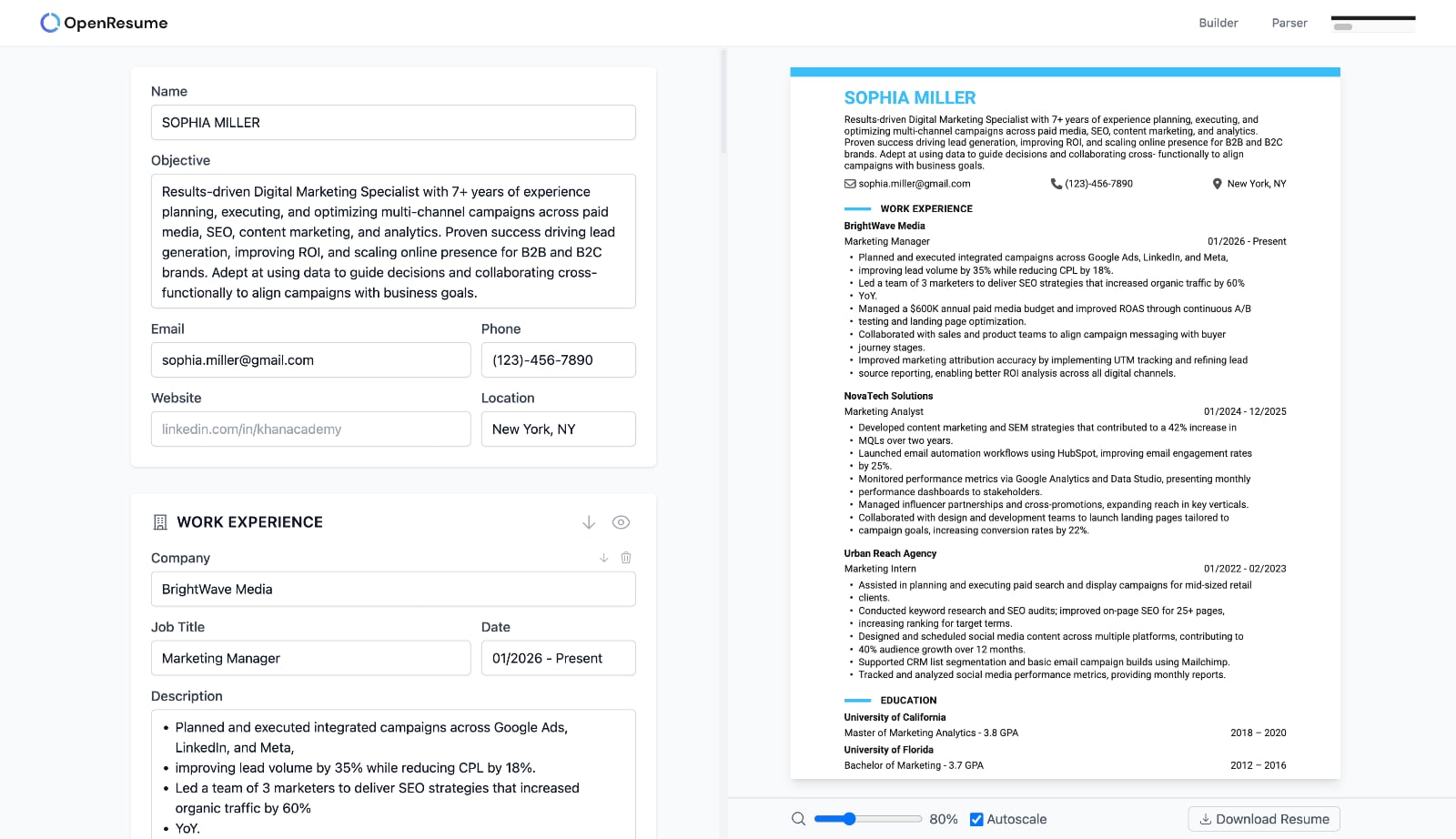
Pricing
Free download
Watermark
Editing approach
Account requirement
- No account required to create or download resumes
Customization
- Content editing
- Theme-based styling (12 predefined themes)
- Font selection (10 fonts)
- Font size control (3 presets plus custom numeric input)
- Document size selection (US Letter and A4)
- Skills display format (list or infographic view)
Save behavior
- Progress is saved instantly to browser when changes are made
Data handling
Sections supported
- 5 sections including Contact, Work Experience, Education, Project, and Skills
- All sections can be added or hidden
- Section names can be changed
Arrangement control
- Sections can be reordered
- Section entries (e.g., jobs, degrees, certificates) can be reordered
Templates
- Only 1 template
- Only single-column
- Basic template design
- ATS-compatible layout
Page handling in editor
- Resume preview does not show real page boundaries
- Users cannot accurately anticipate where page breaks will occur
Exported PDF quality
- Section headings may split across page boundaries
- Section entries can break mid-block across pages
Writing Assistant
- Not supported
Strengths
- Free PDF downloads
- Open-source and privacy-focused
- No account, tracking, or billing requirements
- Resume data stored locally in the browser, ensuring strong privacy
- ATS-friendly
- No watermark on free downloads
Limitations
- Limited visual customization
- Clean but minimal UX
- No text formatting
- Basic template designs
- Limited number of supported sections
- Only a single resume can be created
- Resumes cannot be accessed or shared across devices
- Resume data can be lost if browser storage is cleared
- No real page boundaries shown in resume preview
- Exported PDF may split section headings or entries across pages
- No writing assistant
Who is this for?
Reactive Resume
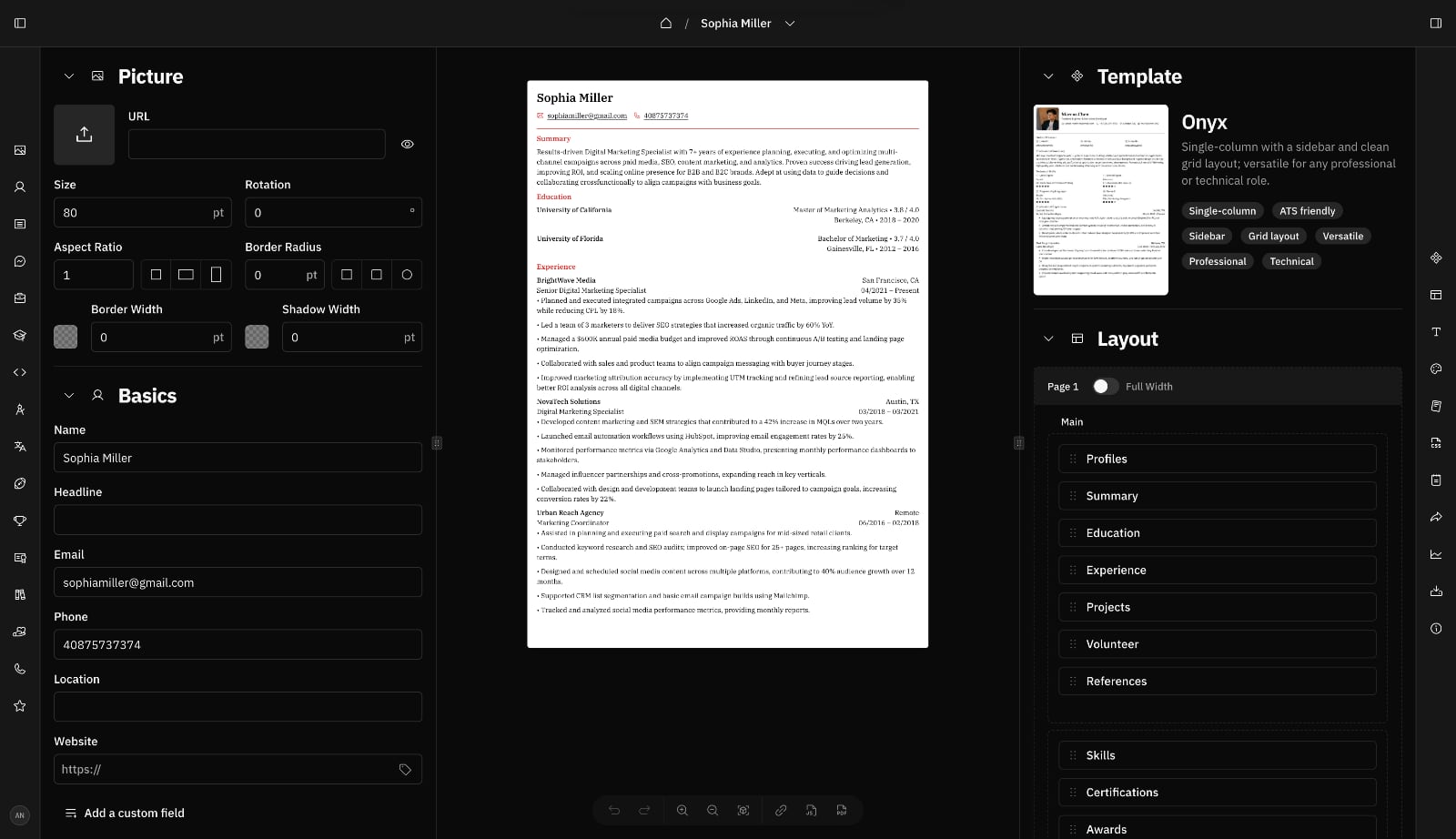
Pricing
Free download
Watermark
Editing approach
Account requirement
- Account required before creating or editing a resume
- Account required to download resumes
Customization
- Content editing
- Text formatting (bold, italic, underline, link)
- Theme-based styling (22 predefined themes)
- Customizable text and background colors
- Font selection (518 fonts)
- Advanced font controls (font size, weight, line height)
- Document size selection (US Letter, A4, Free Form)
- Skills display format (list and 6 infographic views)
- Avatar styling
- Adjustable column width for double-column templates
- Customizable page margins and section spacing
Save behavior
- Changes are saved automatically and applied instantly
Data handling
Sections supported
- 13 sections including Contact, Profiles, Experience, Education, Projects, Skills, Languages, Interests, Awards, Certifications, Publications, Volunteer, and References
- All sections can be added or hidden
- Section names can be changed
Arrangement control
- Sections can be reordered. In double-column templates, sections can be moved across columns via drag and drop.
- Section entries (e.g., jobs, degrees, certificates) can be reordered
Templates
- 13 templates
- Single-column and double-column templates
- Basic template design
- ATS-compatible layout
Page handling in editor
- Resume preview does not show real page boundaries
- Users cannot accurately anticipate where page breaks will occur
Exported PDF quality
- Section headings may split across page boundaries
- Section entries can break mid-block across pages
- Sidebar or background elements may not extend consistently to full page height on subsequent pages
- Exported PDF may contain rendering artifacts such as overlapping or stray text
Writing Assistant
- Not supported
Strengths
- Free PDF downloads
- Open-source and extremely customizable
- Suitable for power users who want full control
- ATS-friendly
- No watermark on free downloads
Limitations
- Overwhelming and difficult to use for non-technical users
- Complex interface with poor information hierarchy
- Basic template designs
- No real page boundaries shown in resume preview
- Exported PDF may split section headings or entries across pages
- Multi-page resumes may show inconsistent layout between pages
- Rendering artifacts in exported PDFs
- No writing assistant
Who is this for?
Resume Zap
Pricing
Free download
Watermark
Editing approach
Account requirement
- Account required before creating, editing, or downloading resumes
Customization
- Content editing
- Text formatting (bold, italic, underline, link)
- Theme-based styling (144 predefined themes)
- Font selection (30 fonts)
- Resume background image selection (26 background images)
- Advanced design settings (page margin, section spacing, font size, line height)
- Document size selection (US Letter, A4)
- Skills display format (13 list views and 5 infographic views)
- Avatar styling
- Adjustable column width for double-column templates
- Customizable infographic colors in Skills, Languages, and Industry Expertise sections
- Customizable link colors
Save behavior
- Changes are saved automatically and applied instantly
Data handling
Sections supported
- 24 sections including Summary, Objectives, Experience, Education, Skills, Find Me Online, Languages, Projects, Volunteering, Publications, Industry Expertise, Key Achievements, Training & Courses, Certifications, Licenses, Patents, Strengths, Interests, Awards, Grants & Fellowships, References, Affiliations, Extracurriculars and Conferences
- All sections can be added or hidden
- Section names can be changed
Arrangement control
- Sections can be reordered. In double-column templates, sections can be moved across columns via drag and drop.
- Section entries (e.g., jobs, degrees, certificates) can be reordered
- Skills and section entries can be wrapped or stacked
Templates
- 16 templates
- Single-column and double-column templates
- Modern, polished template design
- ATS-compatible layout
Page handling in editor
- Live page boundaries shown directly in the editor
- Users can accurately anticipate where page breaks will occur
- Section entries are kept intact across page boundaries
Exported PDF quality
- Section entries are kept intact in the exported PDF
- What users see in the editor is exactly what they get in the exported PDF
Writing Assistant
- Free examples (pre-written phrases) for Summary Experience, Projects, Key Achievements sections. Up to 200 examples tailored to each job title. Unlimited on free plan.
- AI content rewrite for any bullet, key achievement, project, or summary you select, with 8 tones: Impact-driven, Metric-driven, Skill-driven, ATS-optimized, Professional, Concise, Humanized, or Creative
- AI resume analysis against a job title and description, identifying strengths, gaps, missing keywords, and actionable suggestions
- AI resume tailoring that automatically rewrites experience, projects, summary, and key achievements based on a target job title and description, with each change reviewable before accepting
Strengths
- Clean, intuitive Google Docs–style editing experience
- Extensive customization options
- One of the most generous free plans on the market
- High-definition PDF download available on the free plan (without pro features)
- True WYSIWYG multi-page editing with reliable PDF output
- Modern, polished template designs
- ATS-friendly
- No watermark on free downloads
- All templates and customization options are available for free users
- Free and unlimited writing suggestions (pre-written phrases) for free users
- Powerful writing assistant
Limitations
- Resumes with paid features can only be downloaded with active, non-recurring Pro access
- Resumes that are longer than 2 pages require Pro access to download.
- AI features including as AI content rewrite (bullets, key achievements, projects and summary), resume analysis, and resume tailoring require Pro plan
Who is this for?
Resume Builder Comparison
Resume.com
Pricing modelCompletely freeSubscription requiredNoFree downloadYes. No credit card required.Watermark on free downloadNoEditing modelForm-basedEditing layoutSide-by-side editor and previewEdit directly on resumeNoLive previewYes (side-by-side)Live page handling in previewNoPDF layout predictable from editor previewNoSection titles or entries kept intact across pagesNoConsistent layout across multi-page PDFsYesNo unwanted rendering artifacts in exported PDFYesSections supported8Sections can be added or hiddenYesSection names editableYesSection order can be changedYesCross-column section movementNoSection entries reorderableYesTemplates15Themes0Fonts0Background images0Column layoutsSingle column onlyATS compatibilityYesCustomization depthContent onlyText formattingBold, italic, linkPage margin controlNoSection spacing controlNoFont size controlNoLine height controlNoDocument size selectionNoSkills display format optionsNoAvatar stylingNoAdjustable column widthNoCustomizable infographic colorsNoCustomizable link colorsNoLayout controlNoneSkills infographic layout control (wrap or stack)NoSection entry layout control (wrap or stack)NoAccount required to downloadYesData storageServer-sideFree Writing SuggestionsYesAI Content RewriteNoAI Resume AnalysisNoAI Resume TailoringNoBest suited forQuick, no-fluff resumesOpenResume
Pricing modelCompletely freeSubscription requiredNoFree downloadYes. No credit card required.Watermark on free downloadNoEditing modelForm-basedEditing layoutSide-by-side editor and previewEdit directly on resumeNoLive previewYes (side-by-side)Live page handling in previewNoPDF layout predictable from editor previewNoSection titles or entries kept intact across pagesNoConsistent layout across multi-page PDFsYesNo unwanted rendering artifacts in exported PDFYesSections supported5Sections can be added or hiddenYesSection names editableYesSection order can be changedYesCross-column section movementNoSection entries reorderableYesTemplates1Themes12Fonts10Background images0Column layoutsSingle column onlyATS compatibilityYesCustomization depthLimitedText formattingNonePage margin controlNoSection spacing controlNoFont size controlYesLine height controlNoDocument size selectionYesSkills display format optionsYesAvatar stylingNoAdjustable column widthNoCustomizable infographic colorsNoCustomizable link colorsNoLayout controlMinimalSkills infographic layout control (wrap or stack)NoSection entry layout control (wrap or stack)NoAccount required to downloadNoData storageBrowser onlyFree Writing SuggestionsNoAI Content RewriteNoAI Resume AnalysisNoAI Resume TailoringNoBest suited forPrivacy-conscious usersReactive Resume
Pricing modelCompletely freeSubscription requiredNoFree downloadYes. No credit card required.Watermark on free downloadNoEditing modelForm-basedEditing layoutSide-by-side editor and previewEdit directly on resumeNoLive previewYes (side-by-side)Live page handling in previewNoPDF layout predictable from editor previewNoSection titles or entries kept intact across pagesNoConsistent layout across multi-page PDFsNoNo unwanted rendering artifacts in exported PDFNoSections supported13Sections can be added or hiddenYesSection names editableYesSection order can be changedYesCross-column section movementYesSection entries reorderableYesTemplates13Themes22Fonts518Background images0Column layoutsSingle & double columnATS compatibilityYesCustomization depthExtensiveText formattingBold, italic, underline, linkPage margin controlYesSection spacing controlYesFont size controlYesLine height controlYesDocument size selectionYesSkills display format optionsYesAvatar stylingYesAdjustable column widthYesCustomizable infographic colorsNoCustomizable link colorsNoLayout controlAdvancedSkills infographic layout control (wrap or stack)NoSection entry layout control (wrap or stack)NoAccount required to downloadYesData storageServer-sideFree Writing SuggestionsNoAI Content RewriteNoAI Resume AnalysisNoAI Resume TailoringNoBest suited forTechnical power usersResume Zap
Pricing modelFree + non-recurring paid accessSubscription requiredNoFree downloadYes. No credit card required.Watermark on free downloadNoEditing modelWYSIWYGEditing layoutDirect editing on resumeEdit directly on resumeYesLive previewYes (on-canvas)Live page handling in previewYesPDF layout predictable from editor previewYesSection titles or entries kept intact across pagesYesConsistent layout across multi-page PDFsYesNo unwanted rendering artifacts in exported PDFYesSections supported24Sections can be added or hiddenYesSection names editableYesSection order can be changedYesCross-column section movementYesSection entries reorderableYesTemplates16Themes144Fonts30Background images26Column layoutsSingle & double columnATS compatibilityYesCustomization depthExtensiveText formattingBold, italic, underline, linkPage margin controlYesSection spacing controlYesFont size controlYesLine height controlYesDocument size selectionYesSkills display format optionsYesAvatar stylingYesAdjustable column widthYesCustomizable infographic colorsYesCustomizable link colorsYesLayout controlAdvancedSkills infographic layout control (wrap or stack)YesSection entry layout control (wrap or stack)YesAccount required to downloadYesData storageServer-sideFree Writing SuggestionsYesAI Content RewriteYesAI Resume AnalysisYesAI Resume TailoringYesBest suited forGoogle Docs-style editing, precise layout control with high customization, and reliable PDF output
Frequently Asked Questions
- What does "resume builders without subscriptions" mean?Resume builders without subscriptions do not charge recurring fees. They are either completely free or offer optional, one-time or time-limited paid access that does not renew automatically. This reduces the risk of unexpected charges caused by forgotten cancellations.
- Are these resume builders ATS-friendly?Yes. All resume builders listed use text-based layouts designed for Applicant Tracking Systems (ATS). However, ATS compatibility also depends on how content is written and how employers configure their systems. No resume builder can guarantee compatibility with every hiring platform.
- Are these resume builders really free to download?Yes. All resume builders listed are free to download without a credit card. Resume Zap allows free downloads for resumes up to 2 pages. Pro access is required to download resumes longer than 2 pages or use AI features such as content rewrite, resume analysis, and resume tailoring.
- Do the free downloads include watermarks?No. None of the resume builders listed add watermarks to free downloads.
- What is the difference between form-based and WYSIWYG resume builders?Form-based resume builders use input forms to collect information and generate a preview separately, often shown side-by-side or in a different step or page. WYSIWYG resume builders allow users to edit content directly on the resume itself, similar to editing a document in Google Docs and Microsoft Word.
- What is live page handling in a resume builder?Live page handling means the resume preview accurately reflects real page boundaries while you edit. Sections and section entries such as jobs, degrees, or certificates are positioned based on actual page space instead of being displayed as one continuous document.In builders without live page handling, the preview shows a single long page and the exported PDF may split job entries or sections across pages without warning. Tools with live page handling calculate pagination during editing, so what you see in the preview matches the final PDF layout.
- Why does exported PDF quality differ between resume builders?PDF export quality depends on how a resume builder handles pagination and layout rendering. Some builders generate PDFs from a continuous preview without calculating real page boundaries during editing.When page breaks are not handled during editing, the exported PDF may split section titles or section entries such as jobs, degrees, or certificates across pages, shift spacing, or render layout elements inconsistently. Builders with live page handling calculate layout using real page boundaries, making the exported PDF more predictable and structurally consistent.
- Which resume builder is easiest to use?Ease of use depends on editing preference and familiarity. Form-based builders such as Resume.com guide users through structured, step-by-step forms, which can feel approachable for users creating a resume for the first time.WYSIWYG resume builders allow users to edit content directly on the resume itself, similar to document editors. Users already familiar with tools like Google Docs or Microsoft Word often find this model more intuitive.Another factor that affects usability is page handling. Builders with live page boundaries show how content fits within actual pages during editing, reducing surprises when exporting the final PDF. Builders without live page handling display resumes as a single continuous document, which can make it harder to anticipate page breaks.Ultimately, the easiest tool depends on whether a user prefers guided forms or direct document editing, and whether real-time page layout feedback is important to them.
- Which resume builder offers the most customization?Reactive Resume and Resume Zap offer the deepest customization options, including layout control, typography, spacing, and section configuration. Simpler free tools intentionally limit customization.
- Do any of these tools work without creating an account?Yes. OpenResume allows full resume creation and download without an account. Resume.com allows creation without an account but require one to download.
- Where is my resume data stored?It depends on the tool. OpenResume stores resume data locally in the browser. Resume.com, Reactive Resume, and Resume Zap store resume data on their servers.
- What is the difference between client-side and server-side resume storage?Client-side storage saves resume data locally in your browser. This means the data stays on your device, but it cannot be accessed from another computer or phone. Server-side storage saves resume data on the company’s servers and links it to your account. This allows you to log in and access your resume from multiple devices.
- What are Writing Suggestions?Writing Suggestions are pre-written resume phrases curated by career experts, searchable across 42 industries. Resume Zap offers up to 200 suggestions per section, covering experience, projects, summaries, and key achievements, free and unlimited for all users.
- What does AI Content Rewrite do?AI Content Rewrite lets you manually select any bullet, project, summary, or achievement to refine using AI. Resume Zap offers 8 tone options, including Impact-driven, Metric-driven, Skill-driven, ATS-optimized, Professional, Concise, Humanized, and Creative, to match different resume styles.
- What is AI Resume Analysis?AI Resume Analysis compares a resume against a specific job title and description to identify strengths, gaps, and missing keywords, along with actionable suggestions for improvement.
- What is AI Resume Tailoring?AI Resume Tailoring automatically rewrites experience, projects, summary, and key achievements based on a target job title and description. Each suggested change can be reviewed and accepted individually, giving you full control over the final content.
- What is the difference between AI Content Rewrite and AI Resume Tailoring?AI Content Rewrite lets you choose a specific bullet, project, summary, or achievement to improve in wording and tone. AI Resume Tailoring works across the whole resume at once, automatically rewriting experience, projects, summary, and key achievements based on a target job title and description, with each change reviewable before you accept it.
- Can I use these resume builders on multiple devices?Server-based tools like Resume Zap, Resume.com, and Reactive Resume allow resumes to be accessed across devices once logged in. Browser-only tools like OpenResume store data locally and cannot sync resumes across devices.
- Are paid resume builders without subscriptions worth it?Paid resume builders that do not use subscriptions typically provide additional customization options, more control over layout and design, and more flexible editing models. Whether this is worth it depends on individual needs. Users creating simple, one-time resumes may find free tools sufficient, while users who want greater visual control or a smoother editing experience may benefit from paid access that does not involve recurring charges.
- Why are subscription-based resume builders excluded?Subscription pricing is unpopular among job seekers and often results in unexpected recurring charges. This guide focuses exclusively on tools that avoid automatic renewals.
- Why are some resume popular builders with free plans not included?Some popular resume builders offer limited free plans, such as allowing one resume or a small number of downloads. However, broader usage typically requires a recurring subscription. Since this guide excludes tools that depend on subscriptions for ongoing resume creation or downloads, those tools fall outside the scope of this guide.
- Why isn’t FlowCV included?FlowCV allows one resume to be created and downloaded for free forever, including unlimited downloads of that resume. Creating additional resumes requires a recurring subscription. Since this guide excludes tools that require subscriptions for ongoing resume creation, it falls outside the scope of this guide.
Final Thoughts