Blog
Is Word Still Good For Resumes
Is Microsoft Word Good for Resumes? The Formatting Frustrations and Modern Alternatives

Updated on Feb 18, 2026
Microsoft Word has been the go-to tool for creating resumes, but formatting frustrations, PDF export issues, and outdated templates have made many job seekers question whether it's still the best option. While Word remains valuable for offline work and manual control, modern resume builders offer real-time editing, automatic formatting, and ATS optimization without the headaches. Discover when Word still makes sense and when it's time to embrace purpose-built tools.
The Familiar Struggle
For decades, Microsoft Word was the default tool for creating resumes. It was powerful, familiar, and readily available on nearly every computer. If you needed to make a professional-looking document, Word was the obvious choice.
But anyone who's tried to fine-tune a resume layout in Word knows the struggle: spend an hour adjusting bullet points, save as PDF, and suddenly everything's shifted. What once felt like flexibility can quickly turn into frustration.
Still, it's easy to see why Word remains the default for millions. It's comfortable, predictable, and deeply ingrained in how people think about writing documents. Yet in an age of real-time editing, cloud storage, and instant design previews, that same familiarity can sometimes hold us back.
Where Microsoft Word Still Makes Sense
Microsoft Word isn't obsolete. It still fits certain use cases perfectly, especially when you know exactly what you want and prefer full control over every detail. Word remains valuable for users who need offline reliability. When you're traveling or working somewhere without stable internet, Word's offline mode is unmatched. You can open, edit, and save without worrying about browser connections or sync errors.
For power users comfortable with styles, indents, and spacing, Word offers deep formatting control that template-based tools can't easily replicate. And for applications requiring .docx submissions (still common in government agencies and traditional corporations), staying within Word's ecosystem can prevent formatting surprises.
Finally, there's the familiar workflow. After years of using Word for reports and essays, millions know exactly where everything lives. Opening Word feels second nature. So yes, Word continues to have its place, particularly for offline work, precise manual control, or legacy compatibility.
The Hidden Costs of Using Word for Resumes
For all its strengths, Microsoft Word comes with quiet frustrations that surface the moment you start fine-tuning a resume. The first is formatting. Adjust one bullet point and an entire section might shift; move a heading slightly, and spacing collapses elsewhere. What should be a small edit turns into a chain reaction of layout issues.
Then there's the problem with templates. Word's built-in designs look neat at first glance, but the moment you try to personalize them, they tend to break apart. A single font or margin tweak can throw everything off, especially if the template wasn't built with resumes in mind.
Even after everything looks perfect, Word introduces another risk: inconsistency. The same file can appear slightly different on another computer, depending on fonts, printer settings, or operating systems. And when you finally export to PDF, it rarely matches what you saw on screen. A frustration anyone who's spent hours perfecting alignment knows too well.
Beyond the visual headaches, there's perception. A Word-formatted resume can look dated next to clean, modern designs produced by purpose-built builders. Some Word resumes may even confuse Applicant Tracking Systems (ATS) if tables or text boxes are used for layout.
Individually, these issues seem small. But together, they make creating and maintaining a polished resume far more time-consuming than it should be. These challenges aren't inevitable. They're symptoms of using a tool designed for documents, not design. Resume creation has evolved, and so have the tools built specifically for it. Let's look at what modern resume builders do differently.
What Modern Resume Builders Do Differently
Over the past decade, a new generation of resume builders has redefined what "creating a resume" means, not by adding complexity, but by removing it. Unlike Word, which treats a resume as just another document, modern builders treat it as a design layout. Every font choice, margin, and alignment is built around one goal: to make your information look professionally structured without you having to fight the formatting.
Crucially, they're also optimized for Applicant Tracking Systems (ATS), ensuring your resume looks clean to both humans and software. Many of today's builders also run entirely in the browser, syncing instantly across devices. No file versions, no corrupted .docx attachments, and no worrying about whether your font will display correctly on another computer.
These real-time, visual editors (often called WYSIWYG resume builders — short for What You See Is What You Get) have fundamentally changed how resumes are made. They don't replace Word's power. They simply rethink what power means for resume creation: clarity, speed, and design you can trust.
The three leading WYSIWYG resume builders are Resume Zap, Enhancv, and Novoresume. We'll use Resume Zap to illustrate how these features work.
Real-Time Editing
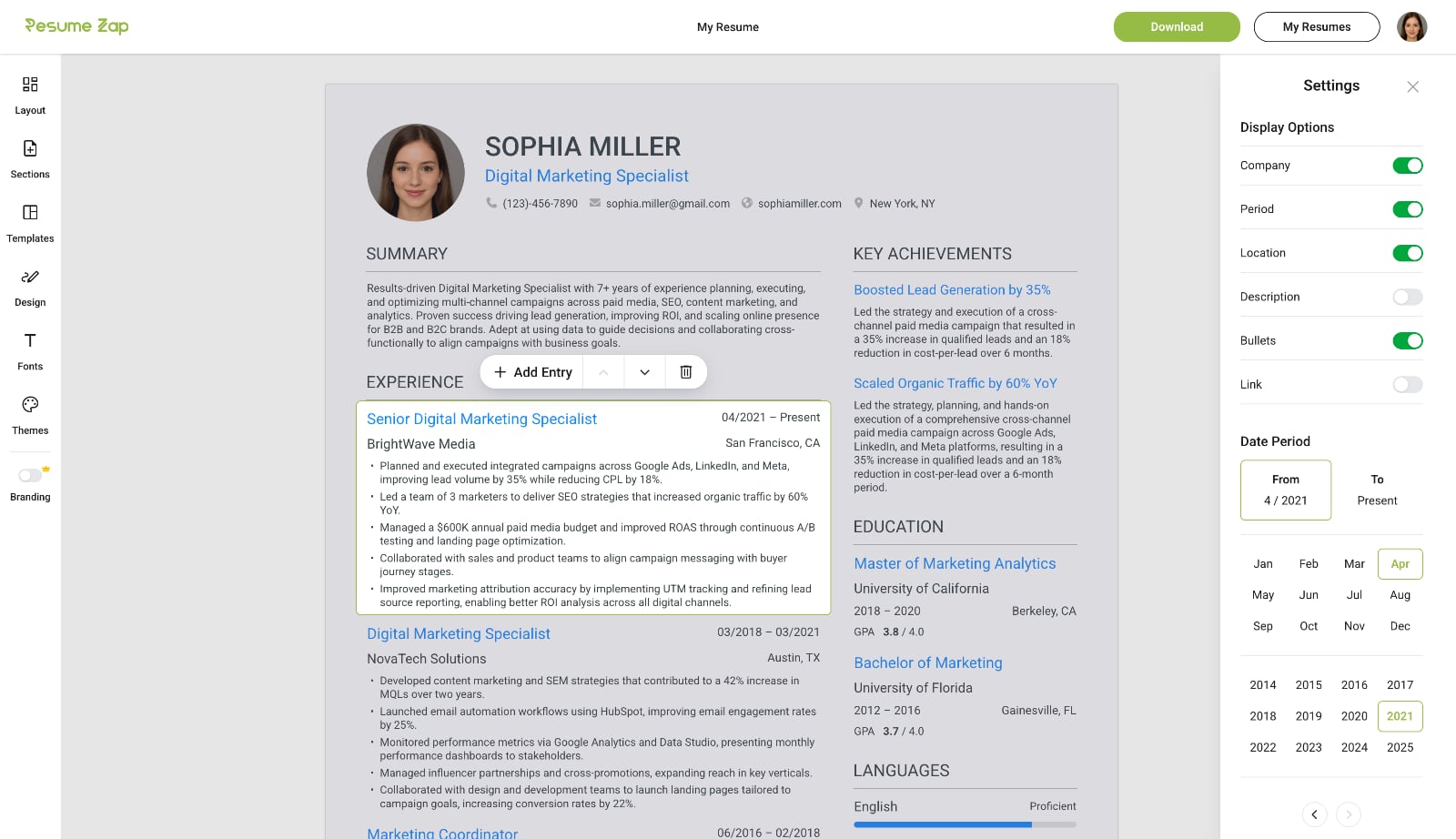
Click anywhere to start typing and easily add, delete, or rearrange sections and entries. Toggle any field on or off to control exactly what appears on your resume. With WYSIWYG resume builders, your changes are reflected instantly with professional formatting handled automatically.
Instant Template Switching
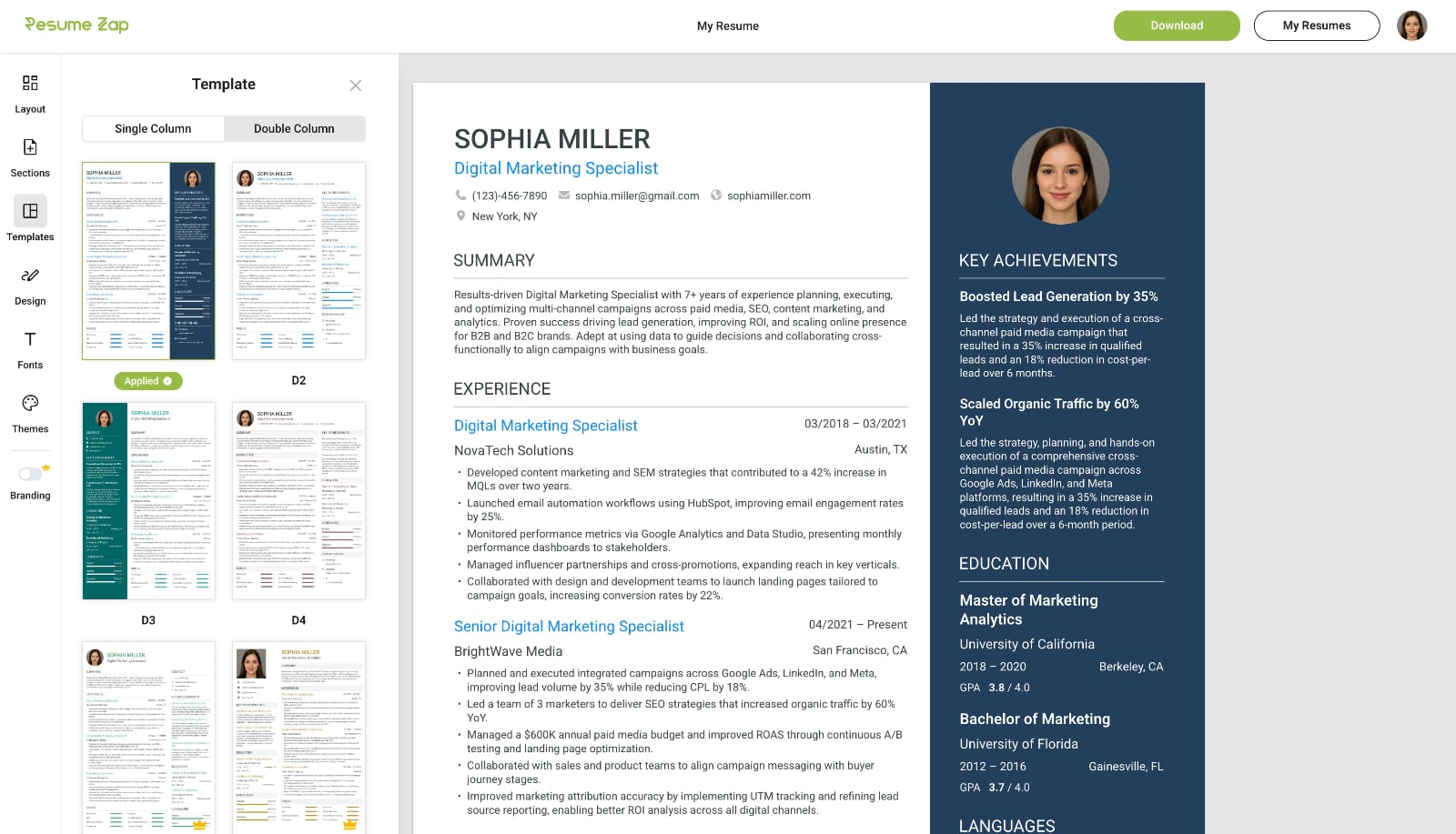
Switch seamlessly between professional resume templates without losing progress — unlike Microsoft Word where you would need to start over. Your resume automatically reflows into the new design, letting you explore different styles until you find the perfect fit.
Professional Customization Made Easy
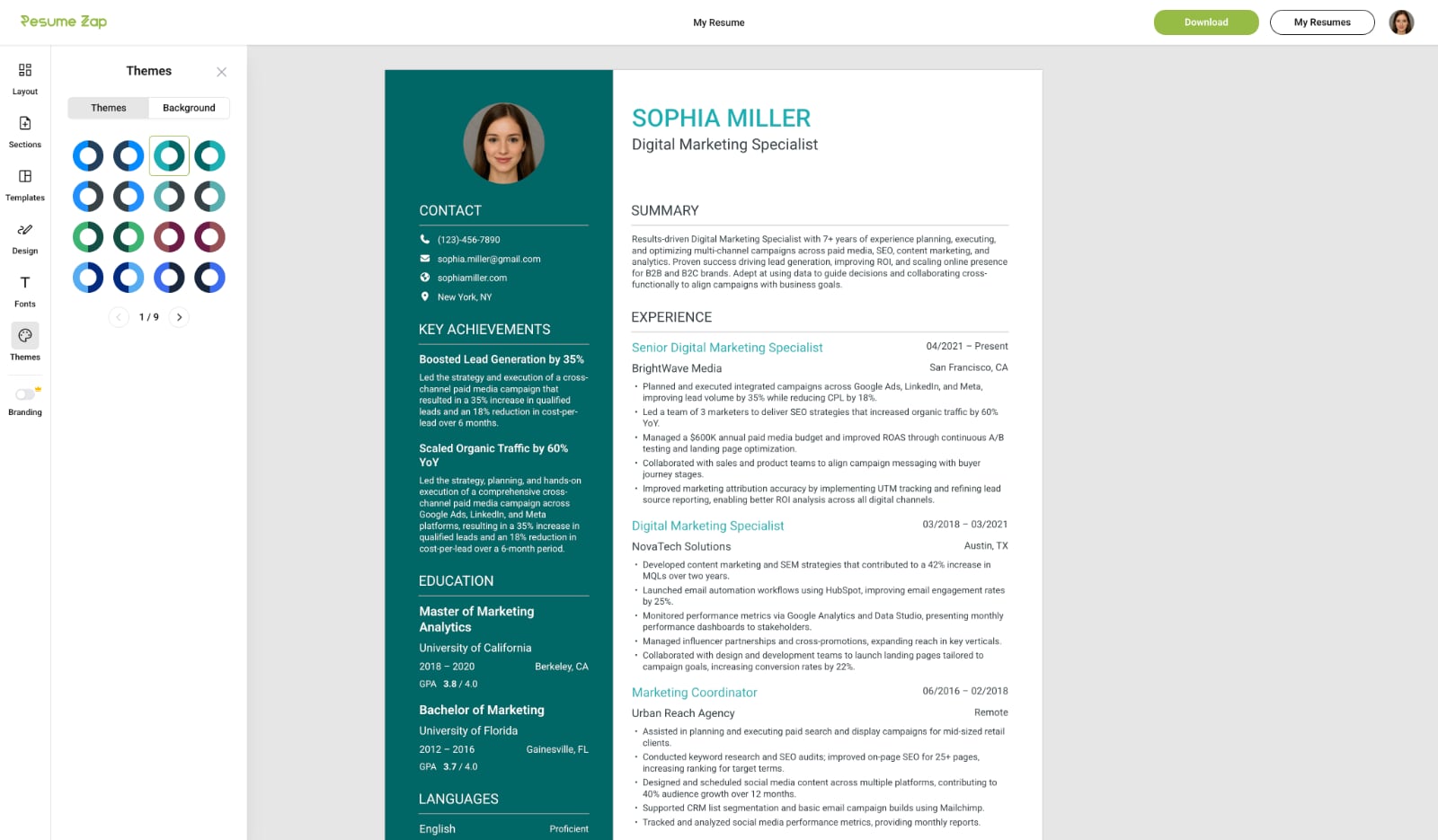
Choose from a wide range of themes, fonts, and unique background images to perfectly match your style and profession. Fine‑tune spacing, padding, text size, sidebar width, and formatting with intuitive, easy‑to‑use controls. Customize how your skills are displayed and instantly show or hide fields with simple toggles.
Flexible Layouts
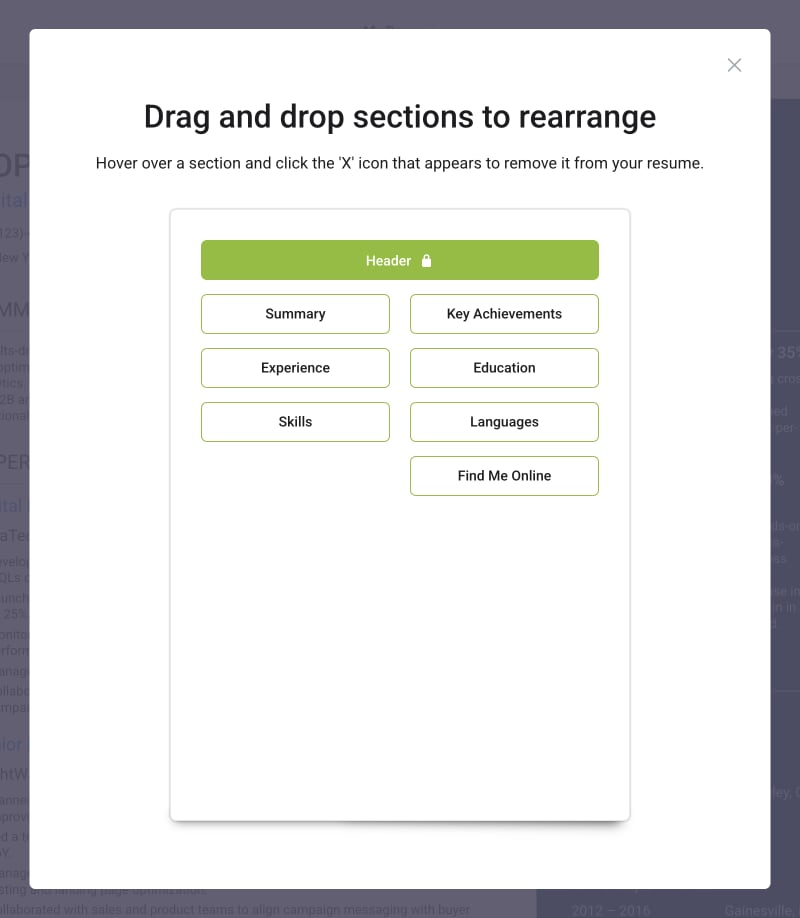
Drag and drop sections to rearrange your resume with ease. Choose wrapped or stacked section layouts with a simple click using intuitive controls.
Extensive Section Library
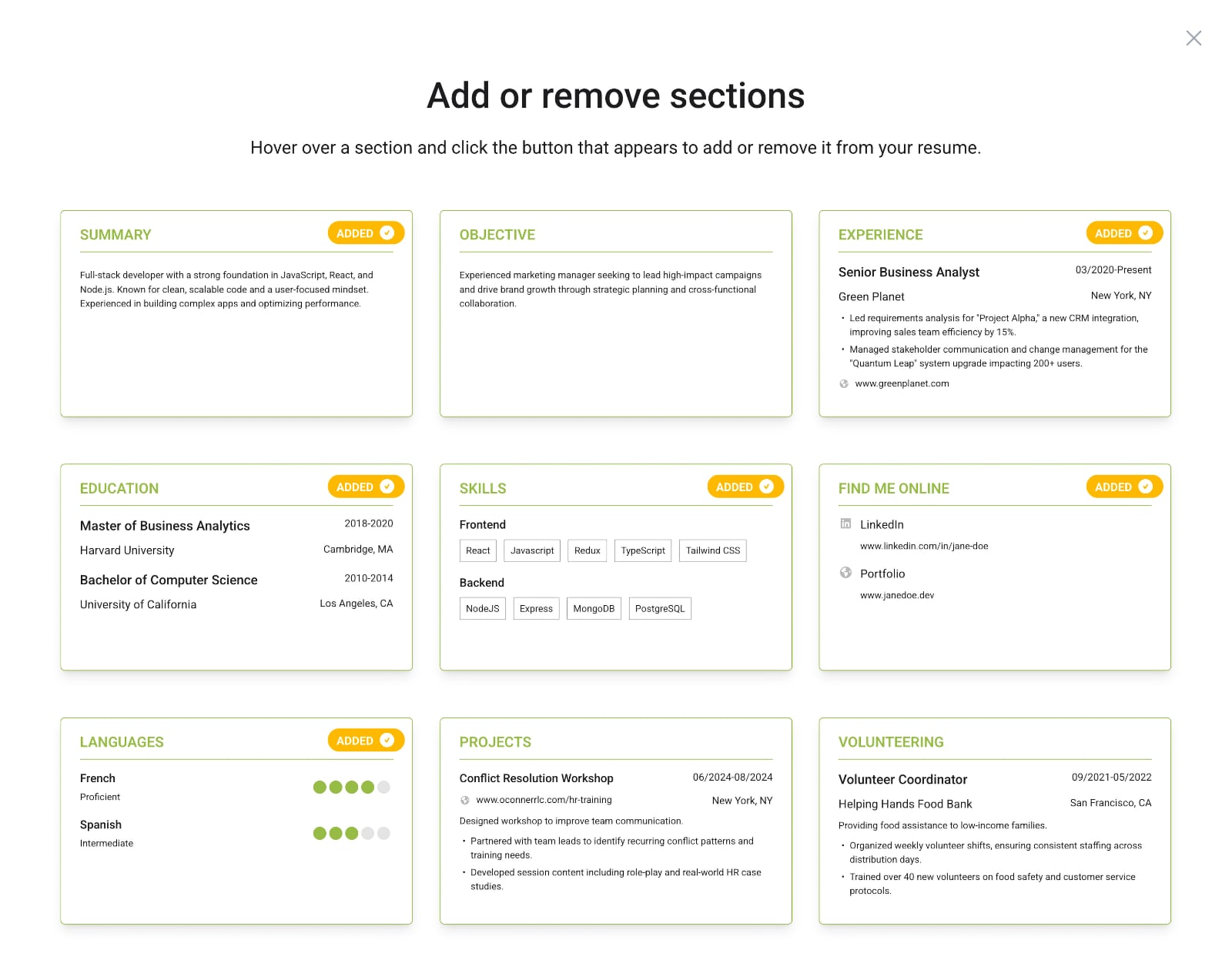
Choose from a comprehensive library of pre-built resume sections that go beyond the basics. From core sections like Experience and Education to specialized ones like Key Achievements, Certifications, Industry Expertise, Publications, Projects, and Volunteering—add exactly what fits your career story. Preview sections before adding them, and remove any with a single click.
WYSIWYG Builder vs Microsoft Word
Feature
WYSIWYG Builders
Microsoft Word
Real-time editing
Offline access
Professional templates
Easily editable templates
Premade sections
Extensive section library
Drag-and-drop sections to organize
Instant template switching
Easy formatting
No design skills required
ATS-optimized
Consistent across different systems
WYSIWYG Builders
Real-time editingOffline accessProfessional templatesEasily editable templatesPremade sectionsExtensive section libraryDrag-and-drop sections to organizeInstant template switchingEasy formattingNo design skills requiredATS-optimizedConsistent across different systemsMicrosoft Word
Real-time editingOffline accessProfessional templatesEasily editable templatesPremade sectionsExtensive section libraryDrag-and-drop sections to organizeInstant template switchingEasy formattingNo design skills requiredATS-optimizedConsistent across different systems
The Future of Resume Creation
Microsoft Word served its purpose brilliantly. It brought professional document creation to millions, long before design tools were accessible or affordable. But the way we build resumes has evolved, shaped by real-time editing, cloud technology, and design systems that handle the heavy lifting for us.
Today's WYSIWYG resume builders reflect this shift. They're browser-based, so there's nothing to install or update, and every change saves automatically in the cloud. You can open your resume from any device and see the same layout, perfectly consistent. No version confusion, no missing fonts.
Design systems handle the heavy lifting now. Choose a template, and it adapts your content automatically. No wrestling with margins or spacing. Add another job or certification, and the layout adjusts instantly. Some builders even offer smart suggestions for phrasing or formatting based on current hiring standards.
None of this diminishes what Word accomplished; it simply reflects how expectations have changed. Resumes are now living, visual documents, meant to be updated, shared, and designed with precision. The tools we use should match that reality.
The Bottom Line
Microsoft Word still has its place. If you prefer full manual control, or you're sending a traditional resume for a specific format, it can absolutely get the job done. Word remains familiar, dependable, and (when used carefully) capable of producing professional results.
But for most job seekers today, the landscape has changed. The hiring process is faster, expectations are higher, and consistency across devices matters more than ever. Modern resume builders remove that formatting friction, letting you focus on what actually matters: your story and achievements.
If you're curious how these modern tools work in practice, here's how WYSIWYG resume builders solve those challenges. In the end, it's not about declaring a winner. It's about choosing the right tool for how resumes are built today. And for most people, that means moving beyond the Word template toward tools designed specifically for the job.
You may also like

Resume Tools
What Is a WYSIWYG Resume Builder?
Traditional resume builders feel like tax forms, and Google Docs makes you fight with formatting. WYSIWYG resume builders solve both problems and are better for creating professional resumes.
Resume Tools
Is Google Docs Good for Resumes? Why It’s Free but Far From Perfect
Google Docs is free and convenient for resumes, but what you see on screen rarely matches what recruiters receive. Discover why this popular tool falls short for professional applications.
Resume Tools
Is Canva Good for Resumes? Why It's Not Built for the Job
Canva makes stunning resumes, but beauty isn't enough. Learn why Canva resumes often fail ATS scans, and how modern WYSIWYG resume builders bridge the gap between aesthetics and structure.
Consumer Protection
Resume Builder Scam: The Hidden Subscription Exposed
Many resume builders use hidden pricing traps. Learn the 5 dark patterns to watch for, from $2.95 trials that become $30/month to missing pricing pages—and how to protect yourself.

Resume Tools
The 5 Best Truly Free Resume Builders of 2026 (No Paywall)
Most resume builders use subscription pricing, which is widely unpopular among job seekers. Explore the curated list of resume builders that avoid subscriptions entirely.

Resume Advice
How to Explain Employment Gaps on Your Resume
Whether due to layoffs, caregiving, education, or personal reasons, employment gaps are normal, and when handled well, they can actually highlight your resilience and adaptability.