Blog
WYSIWYG Resume Builder
What Is a WYSIWYG Resume Builder? (Hint: a Google Docs Alternative for Resumes)

Updated on Feb 18, 2026
Looking for a resume builder easier than Google Docs? You're not alone. Traditional resume builders feel like tax forms, and Google Docs makes you fight with formatting. WYSIWYG resume builders solve both problems and are better than Google Docs for creating professional resumes.

The Problem with Traditional Resume Builders
Most online resume builders feel like filling out a tax form: page after page of clunky forms. You fill out fields like Job Title or Company, click next or save, then move to the next step. And again. And again. When you finally hit preview, it looks nothing like what you imagined.
This process made sense two decades ago when browsers were slower and live editing was harder to build. But today it's outdated. You can't easily visualize spacing, alignment, or balance (the details that make a resume look professional), which is why most users give up halfway through.
Why Google Docs Falls Short for Resumes?
People love Google Docs for its natural, fast editing experience. But when it comes to resumes, it has major limitations:
- Few basic templates - Limited options, all look dated
- No template switching - Changing templates means starting over from scratch
- Manual formatting is tedious - Every spacing, margin, and alignment requires manual adjustment
- Column layouts are frustrating - Fighting with columns and tables breaks constantly
- No pre-built sections - You must manually create and style every resume section
- Requires design skills - Creating a professional-looking resume demands significant design knowledge
- No ATS optimization - No guarantee your resume will pass applicant tracking systems
- Inconsistent PDF exports - What you see on screen often differs from the PDF output
What is a WYSIWYG Resume Builder?
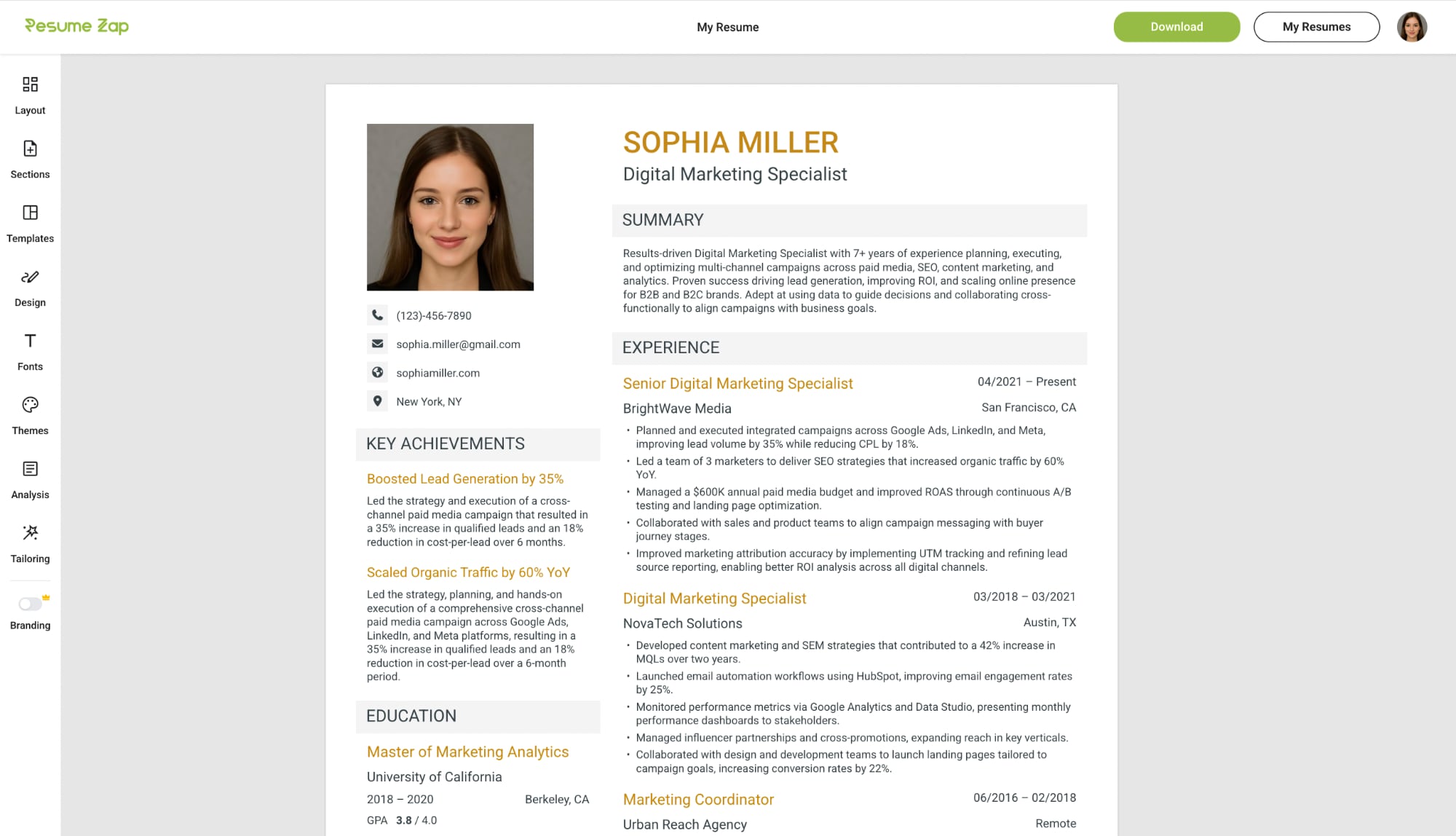
A WYSIWYG (What You See Is What You Get) resume builder is a modern type of builder that works like Google Docs but for resumes. You get the same real-time editing experience—you can click anywhere in the resume and start editing with instant visual feedback—but without the formatting headaches. No step-by-step forms, no sidebars, no preview mode, no next or save buttons of traditional resume builders.
Unlike Google Docs, you don't fight with manual formatting, design or template limitations. Professional design is handled automatically while you focus on content. You can even switch templates seamlessly on-the-fly without losing progress. The editing experience is similar to Google Docs—just purpose-built for polished resumes with no design skills required.
How WYSIWYG Resume Builders Are Different
The three leading WYSIWYG resume builders are Resume Zap, Enhancv, and Novoresume. We'll use Resume Zap to illustrate how these features work.
Real-Time Editing
Click anywhere to start typing and easily add, delete, or rearrange sections and entries. Toggle any field on or off to control exactly what appears on your resume. With Google Docs-style resume builders, your changes are reflected instantly with professional formatting handled automatically.
Instant Template Switching
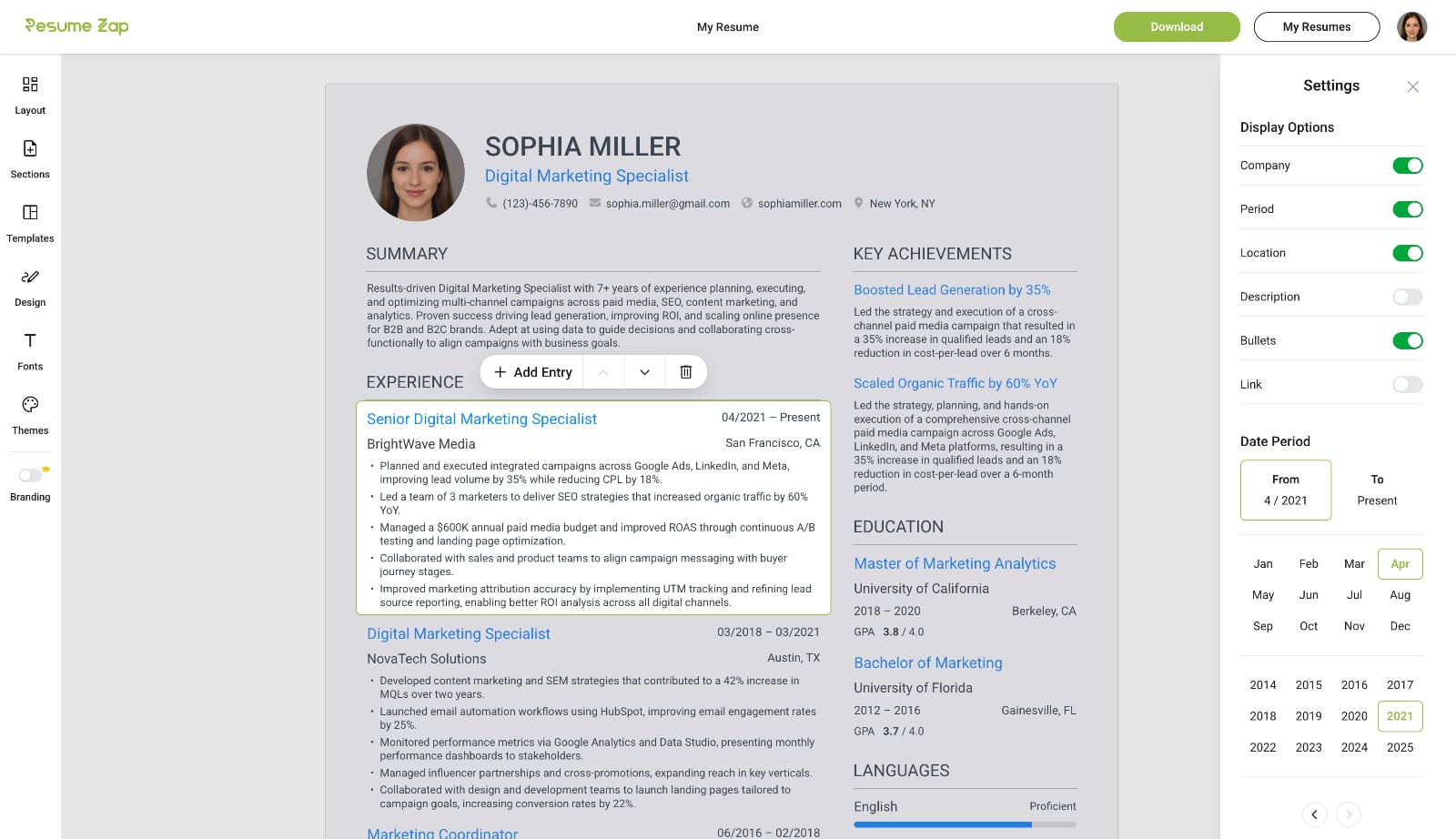
Switch seamlessly between professional resume templates without losing progress — unlike Google Docs where you would need to start over. Your resume automatically reflows into the new design, letting you explore different styles until you find the perfect fit.
Professional Customization Made Easy
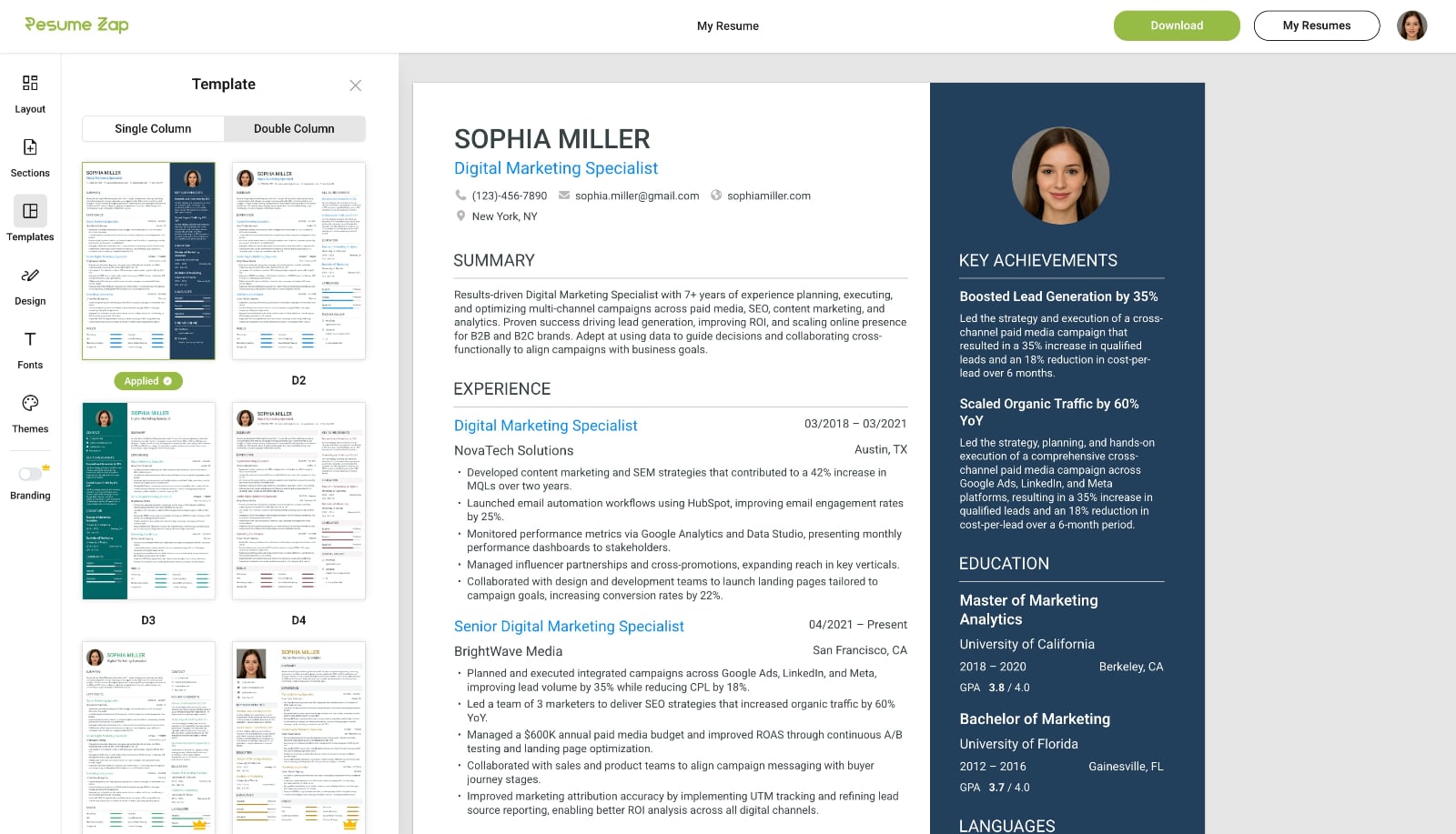
Choose from a wide range of themes, fonts, and unique background images to perfectly match your style and profession. Fine‑tune spacing, padding, text size, sidebar width, and formatting with intuitive, easy‑to‑use controls. Customize how your skills are displayed and instantly show or hide fields with simple toggles.
Flexible Layouts
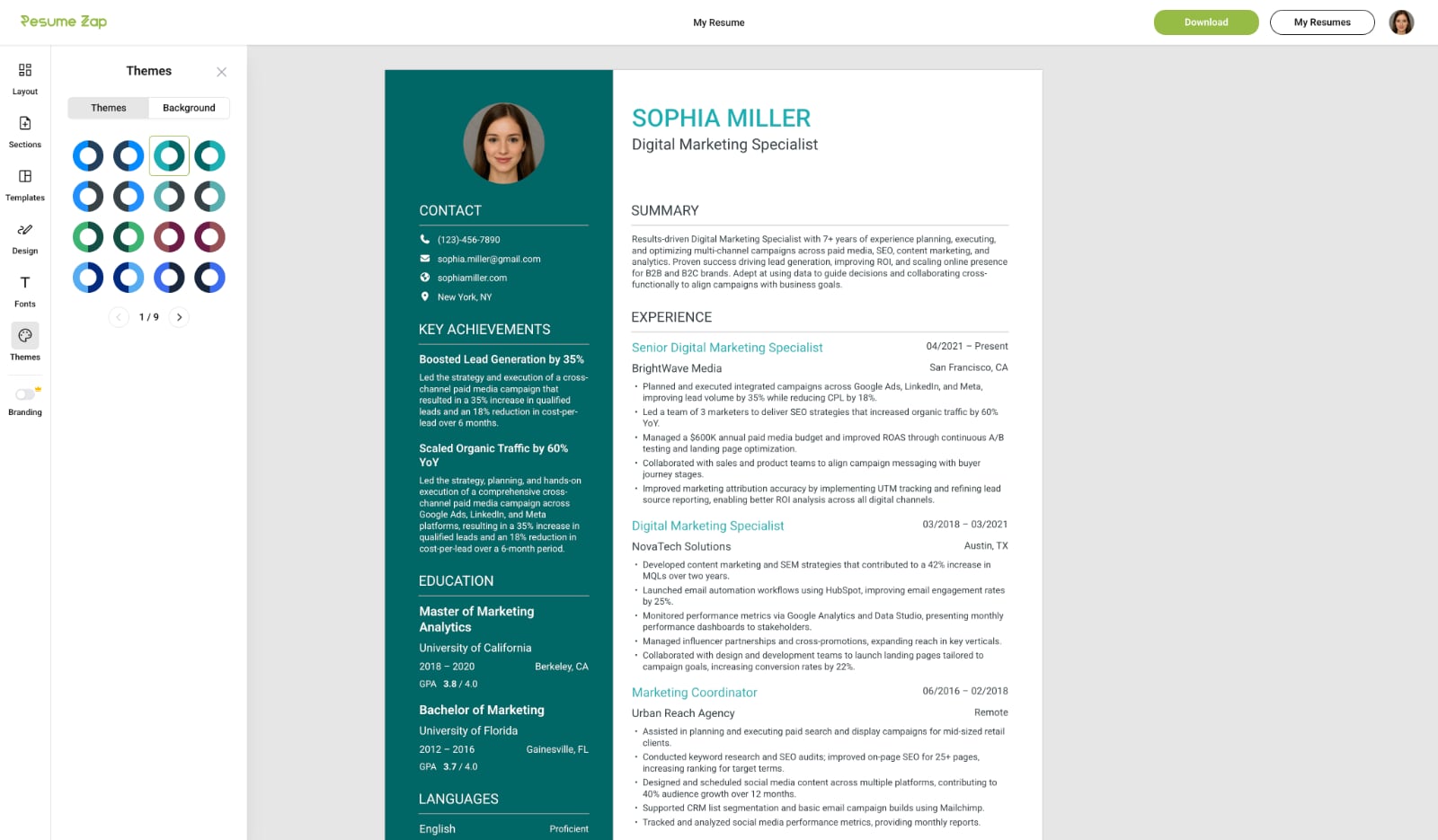
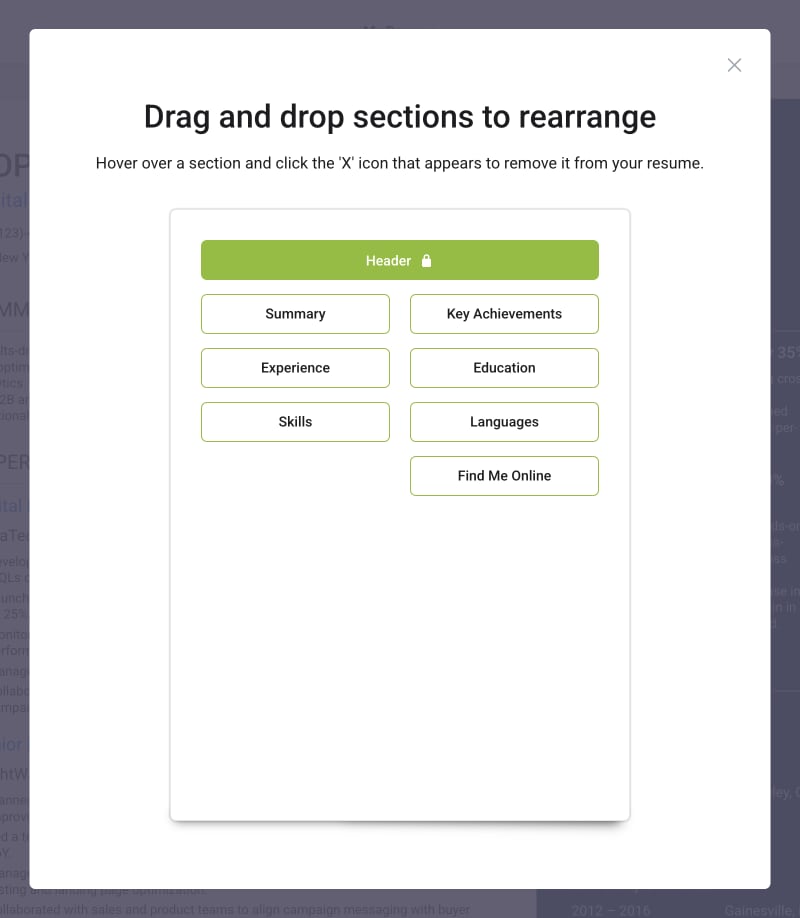
Drag and drop sections to rearrange your resume with ease. Choose wrapped or stacked section layouts with a simple click using intuitive controls.
Extensive Section Library
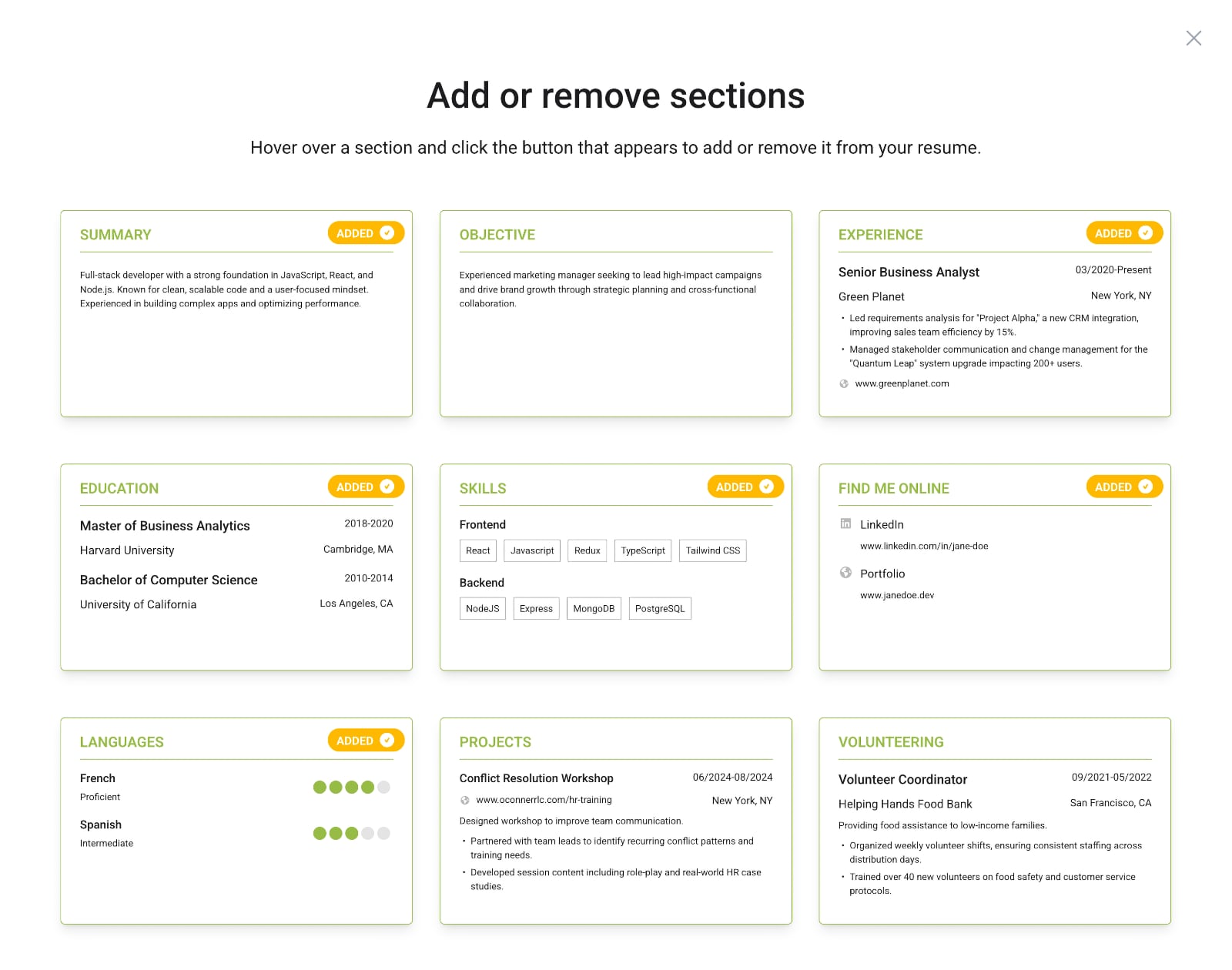
Choose from a comprehensive library of pre-built resume sections that go beyond the basics. From core sections like Experience and Education to specialized ones like Key Achievements, Certifications, Industry Expertise, Publications, Projects, and Volunteering—add exactly what fits your career story. Preview sections before adding them, and remove any with a single click.
WYSIWYG Builder vs Google Docs vs Traditional Resume Builders
Feature
WYSIWYG Builders
Google Docs
Traditional Builders
Real-time editing
Click anywhere to edit
No forms or sidebars
Professional templates
Premade sections
Extensive section library
Drag-and-drop sections to organize
Instant template switching
Automatic formatting
No design skills required
ATS-optimized
Pixel-perfect PDF export
WYSIWYG Builders
Real-time editingClick anywhere to editNo forms or sidebarsProfessional templatesPremade sectionsExtensive section libraryDrag-and-drop sections to organizeInstant template switchingAutomatic formattingNo design skills requiredATS-optimizedPixel-perfect PDF exportGoogle Docs
Real-time editingClick anywhere to editNo forms or sidebarsProfessional templatesPremade sectionsExtensive section libraryDrag-and-drop sections to organizeInstant template switchingAutomatic formattingNo design skills requiredATS-optimizedPixel-perfect PDF exportTraditional Builders
Real-time editingClick anywhere to editNo forms or sidebarsProfessional templatesPremade sectionsExtensive section libraryDrag-and-drop sections to organizeInstant template switchingAutomatic formattingNo design skills requiredATS-optimizedPixel-perfect PDF export
Why WYSIWYG Resume Builders Are The Future
WYSIWYG resume builders are the natural evolution of how people create resumes. Users no longer want to fight with templates or formatting—they expect real-time editing, instant design updates, and pixel-perfect exports.
As web technologies mature, the line between document editors and design tools has disappeared. These new builders combine the best of both worlds: the simplicity of Google Docs and the precision of professional design software.
Traditional builders and manual editors can't keep up with the speed, polish, and accessibility users now expect. That's why the shift to WYSIWYG resume builders isn't just a trend—it's the new standard for modern resume creation.
You may also like
Resume Tools
Is Google Docs Good for Resumes? Why It’s Free but Far From Perfect
Google Docs is free and convenient for resumes, but what you see on screen rarely matches what recruiters receive. Discover why this popular tool falls short for professional applications.

Resume Tools
Is Microsoft Word Good for Resumes?
For decades, Microsoft Word was the go-to tool for creating resumes but it still has many major limitations. Discover when Word still makes sense and when it's time to embrace purpose-built tools.
Resume Tools
Is Canva Good for Resumes? Why It's Not Built for the Job
Canva makes stunning resumes, but beauty isn't enough. Learn why Canva resumes often fail ATS scans, and how modern WYSIWYG resume builders bridge the gap between aesthetics and structure.
Consumer Protection
Resume Builder Scam: The Hidden Subscription Exposed
Many resume builders use hidden pricing traps. Learn the 5 dark patterns to watch for, from $2.95 trials that become $30/month to missing pricing pages—and how to protect yourself.

Resume Tools
The 5 Best Truly Free Resume Builders of 2026 (No Paywall)
Most resume builders use subscription pricing, which is widely unpopular among job seekers. Explore the curated list of resume builders that avoid subscriptions entirely.

Resume Advice
How to Explain Employment Gaps on Your Resume
Whether due to layoffs, caregiving, education, or personal reasons, employment gaps are normal, and when handled well, they can actually highlight your resilience and adaptability.